
Desktop Publishing (DTP) Course in Laxmi Nagar, Delhi
Master professional print design, page layout, branding, advertising creatives and publishing software including Adobe Photoshop, CorelDRAW, Adobe InDesign, Illustrator and print production through practical projects with placement assistance.
- Adobe Photoshop
- CorelDRAW
- Adobe Illustrator
- Adobe InDesign
- Print Design
- Page Layout
- Logo Design
- Brochure Design
- Banner Design
- Packaging Design
- Certificate
- Placement Support
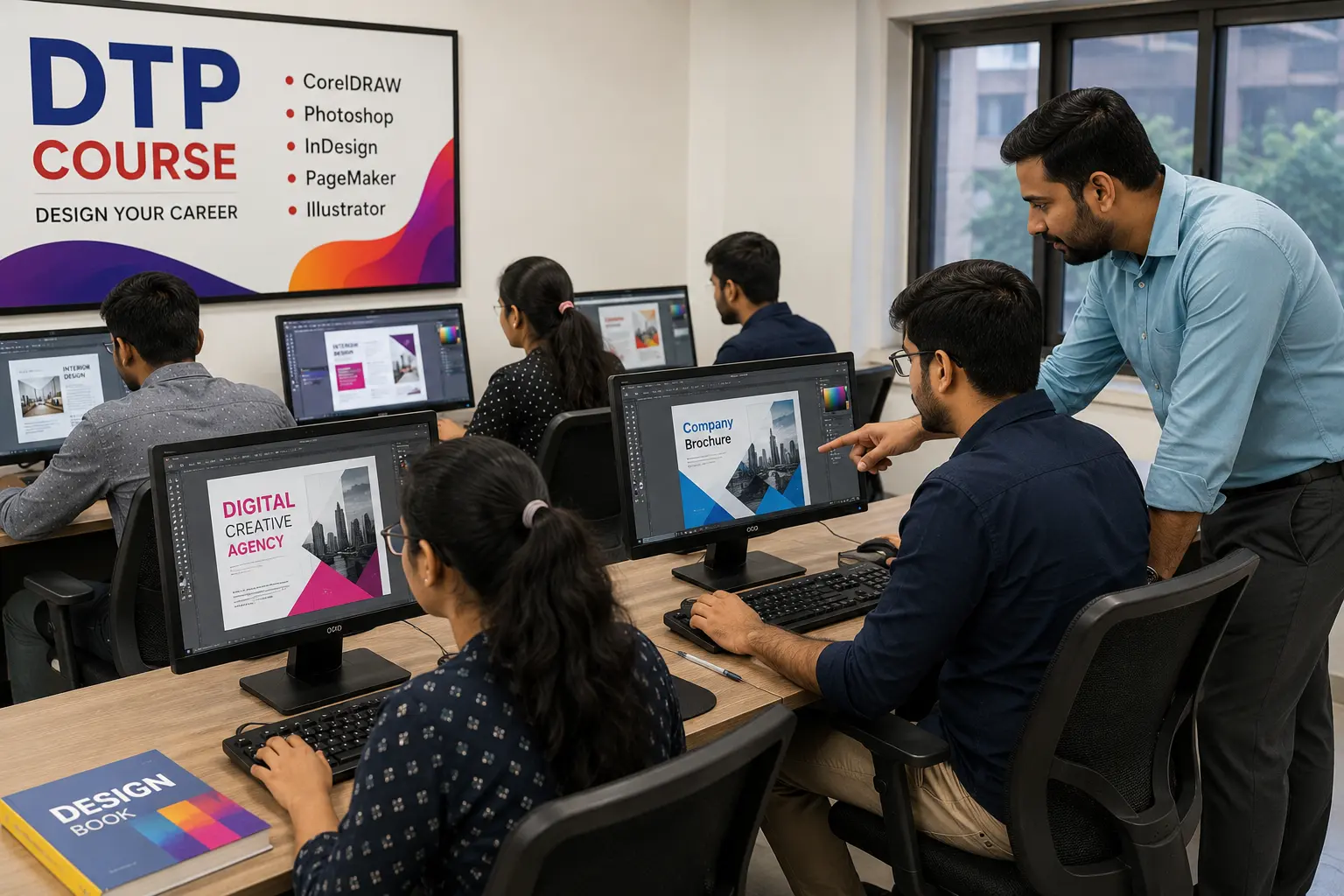
COURSE OVERVIEW
What is Desktop Publishing (DTP)?
Desktop Publishing is the professional skill of designing and arranging text, images and graphics on a computer to produce print-ready and digital publications. It powers the printing industry, advertising agencies, publishing houses and branding studios by turning creative ideas into polished, print-perfect layouts.
Print Media Design
Creating layouts for newspapers, magazines, books and commercial printing projects.
Advertising Creatives
Designing flyers, posters, banners and promotional material for advertising campaigns.
Publishing Industry
Structuring content for books, magazines and editorial publications using page layout tools.
Page Layout & Branding
Arranging typography, color and imagery for consistent, professional print branding.
WHY DTP
Why Learn Desktop Publishing
Desktop Publishing skills remain in constant demand across the printing, publishing and advertising industries. Learning DTP opens doors to stable jobs, freelancing opportunities and long-term creative career growth.
ELIGIBILITY
Who Should Join This DTP Course
This Desktop Publishing course in Laxmi Nagar is designed for a wide range of learners who want practical print and publishing design skills.
COURSE HIGHLIGHTS
What Makes This DTP Course Different
Every module is built around hands-on, project-based learning so you graduate with a print-ready portfolio, not just theory notes.
100% Practical Training
Learn by designing real print and publishing projects from day one.
Real Client Projects
Work on live design briefs to understand actual client requirements.
Portfolio Development
Build a strong print design portfolio to showcase to employers and clients.
Industry Assignments
Practice with assignments modeled on real printing and advertising briefs.
Expert Trainers
Learn from mentors with real experience in print design and prepress work.
Interview Preparation
Get ready for DTP and graphic design job interviews with guided practice.
Placement Support
Receive career guidance and job assistance for eligible students.
Certificate & Small Batches
Get a course completion certificate with focused, small-batch learning.
COURSE CURRICULUM
Complete Desktop Publishing Curriculum
A structured 6-month curriculum that takes you from design fundamentals to professional print production, publishing software and portfolio-ready projects.
DTP & Design Fundamentals
Introduction to Desktop Publishing, Design Fundamentals, Typography, Color Theory and Print vs Digital Design.
Adobe Photoshop for Print Design
Image Editing, Photo Retouching and Photoshop tools for print-ready creatives.
CorelDRAW & Vector Graphics
Vector illustration, layout tools and CorelDRAW workflows for print design.
Adobe Illustrator – Logo & Vector Design
Logo design, icon design and scalable vector graphics for branding.
Branding & Corporate Identity Design
Logo Design, Business Card Design and Letterhead Design for brand identity.
Advertising & Promotional Design
Flyer Design, Brochure Design, Poster Design, Banner Design and Flex Design.
Adobe InDesign – Page Layout & Publishing
Magazine Layout, Book Layout, Newspaper Layout and Packaging Design using InDesign.
Print Production & Prepress
CMYK & RGB, PDF Export, Prepress Process and Printing Techniques.
Portfolio & Live Projects
Portfolio Development, Live Projects and real-world Case Studies.
Interview Preparation & Placement Readiness
Common Interview Questions and job-readiness practice for DTP roles.
INDUSTRY TOOLS
Software You'll Master in This DTP Course
Get hands-on training on the same industry-standard software used by professional print designers, publishing houses and advertising studios.
COURSE DURATION
Flexible Duration & Batch Timings
This is a comprehensive 6-month Desktop Publishing course available offline and online, with flexible weekday, weekend, morning and evening batches.
- 6 Months
- Offline
- Online
- Weekend Batch
- Weekday Batch
- Morning Batch
- Evening Batch
- Flexible Timings
WHY CHOOSE US
Why Choose Mak Mentors Academy for DTP Training
A trusted Desktop Publishing training institute in Laxmi Nagar focused on practical skills, industry projects and genuine career support.
CAREER OPPORTUNITIES
Career Paths After This Desktop Publishing Course
Graduates of this DTP course can pursue roles across the printing, publishing, advertising and branding industries, or work independently as freelancers.
DTP Operator
Graphic Designer
Print Designer
Publishing Executive
Creative Designer
Prepress Executive
Packaging Designer
Advertising Designer
Brand Designer
Freelance DTP Designer
Printing Press Designer
Media Production Executive
PLACEMENT & CAREER SUPPORT
Career Support & Placement Assistance
Our goal goes beyond teaching software — we help you become job-ready with practical guidance at every step.
Resume Building
Create a professional resume highlighting your DTP skills and projects.
Portfolio Review
Get expert feedback to strengthen your print design portfolio.
Mock Interviews
Practice real interview scenarios to build confidence and clarity.
Freelancing Guidance
Learn how to find clients and manage freelance DTP projects.
Interview Preparation
Prepare for common DTP and graphic design interview questions.
Career Counseling
Get personalized guidance on the right career path for you.
Job Assistance
Receive placement support and job leads for eligible students.
STUDENT BENEFITS
What You Get as a Student
FAQ
Frequently Asked Questions About the DTP Course
What is Desktop Publishing (DTP)?
Desktop Publishing, or DTP, is the process of designing and arranging text and graphics on a computer to create print-ready and digital materials such as brochures, magazines, packaging and advertising creatives.
What is the duration of the DTP course in Laxmi Nagar?
This Desktop Publishing course is a comprehensive 6-month program with flexible weekday, weekend, morning and evening batch options, available both offline and online.
Which software will I learn in this DTP course?
You will learn Adobe Photoshop, CorelDRAW, Adobe Illustrator, Adobe InDesign, Adobe Acrobat, Canva basics and essential PDF tools used in professional print design.
Is prior graphic design experience required to join?
No prior design experience is required. The course is structured for absolute beginners as well as working professionals who want to upgrade their print design skills.
Do you provide a certificate after course completion?
Yes, students receive a course completion certificate from Mak Mentors Academy after successfully finishing the Desktop Publishing program.
Does this course offer placement assistance?
Yes, we provide placement assistance including resume building, portfolio review, mock interviews and job guidance for eligible students.
What is the difference between CorelDRAW and Adobe Illustrator?
Both are vector design tools used for logos and print graphics. CorelDRAW is widely used in Indian printing and advertising businesses, while Adobe Illustrator is a global industry-standard vector design tool. This course covers both.
What is Adobe InDesign used for?
Adobe InDesign is used for professional page layout design such as magazines, books, newspapers, brochures and multi-page publications, making it essential for the publishing industry.
What career opportunities are available after this course?
Graduates can work as a DTP Operator, Graphic Designer, Print Designer, Prepress Executive, Packaging Designer, Advertising Designer, Brand Designer or as an independent freelancer.
What is the salary potential after a DTP course?
Salary depends on skill level, portfolio and location, and typically grows with practical experience, a strong print design portfolio and specialization in tools like InDesign and Illustrator.
Will I build a portfolio during this course?
Yes, portfolio development is a core part of the curriculum. You will work on real design projects and case studies to build a job-ready print design portfolio.
Can I start freelancing after completing this DTP course?
Yes, many students use their DTP skills to freelance in logo design, brochure design, packaging design and print production for local businesses and agencies.
Is this course useful for the publishing industry?
Yes, the curriculum specifically covers magazine, book and newspaper layout using Adobe InDesign, which are core skills required in the publishing industry.
What is the difference between print design and digital design?
Print design focuses on CMYK color, resolution and prepress requirements for physical printing, while digital design is optimized for RGB color and on-screen viewing. This course covers both concepts with a focus on print production.
Where is Mak Mentors Academy located?
Mak Mentors Academy is located near Laxmi Nagar Metro Station, Gate No. 05, D-223, First Floor, Laxmi Complex, New Delhi, Delhi 110092, easily accessible from East Delhi and Delhi NCR.
How do I enroll in the Desktop Publishing course?
You can book a free demo class, call us directly or visit our institute near Laxmi Nagar Metro Station to enroll and get your syllabus and batch details.
Start Your Desktop Publishing Career with Expert Mentors
Learn Adobe Photoshop, CorelDRAW, Illustrator, InDesign, print production and branding design with practical training, a strong portfolio and career support.
GET IN TOUCH
Visit Mak Mentors Academy, Laxmi Nagar
Address
Gate No. 05, Metro Station Laxmi Nagar, D-223, First Floor, Laxmi Complex, Near Laxmi Nagar Metro Station, New Delhi, Delhi 110092
Also close to Nirman Vihar Metro Station, East Delhi